

Plex Privacy Settings
How to Disable Discover Together Sharing and other data privacy suggestions
Plex recently rolled out a recent “Feature” the in short words, emails your Plex “Friends” a short list of things you watched last week. This is an Opt-OUT feature, meaning it's Enabled by default for all Plex users, new or old. Below are steps outlined how to Opt-OUT of this new feature along with some other Privacy settings everyone should be aware of scattered throughout many pages under the Plex Umbrella. These are mere suggestions, do your research and reading before making any changes on your own accounts.
Log into app.plex.tv through a web browser.
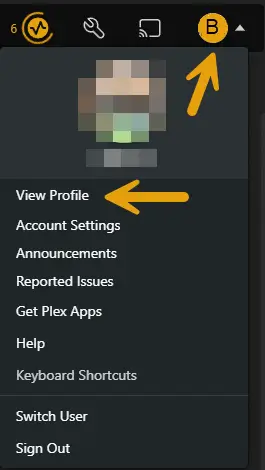
Select your profile photo in the top-right corner of the screen, then select
"View Profile"
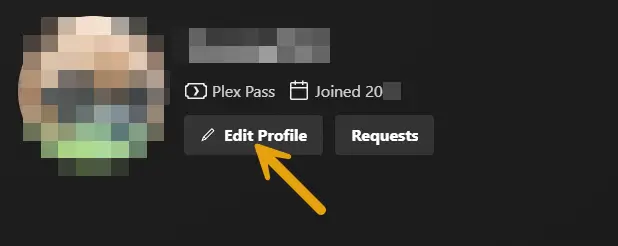
Select "Edit Profile"
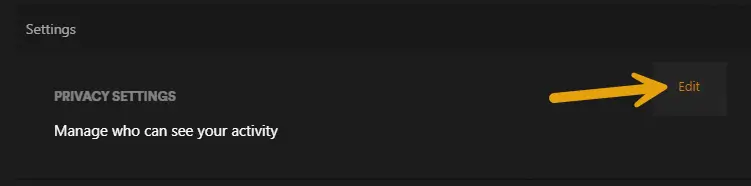
Select "Manage who can see your activity"
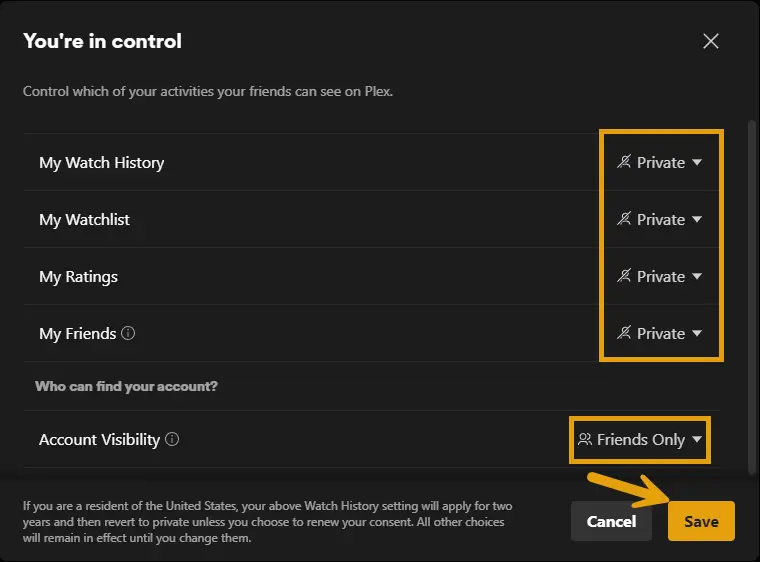
Make sure all options are set to private.
(Account Visibility defaults to "Anyone," with "Friends Only" currently being the most restrictive choice as of writing.)
How to Disable Sending playback data to Plex
- Log into through a web browser.
- Navigate to the following URL:
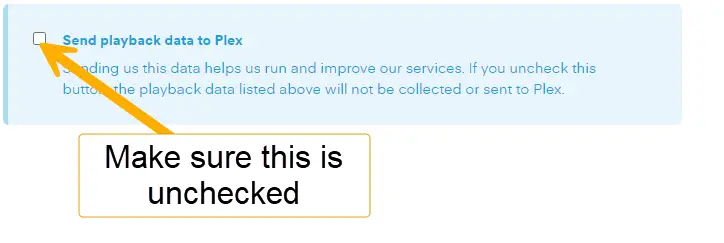
- Under "Optional Playback Data," you will find "Send playback data to Plex"
- Uncheck "Send playback data to Plex"
Other Optional things to Disable
-
- Adjust your Privacy Settings:
- (Optional) Disable Sync Watch State
- Note: Media watch state and ratings will no longer be synced across servers
- Opt-out from receiving Discover activity emails
- Hide your friends' activity from display
**U.S. users from select states can also opt-out from sharing information with Plex's advertising partners